





Pinterest SEO Score Explained: The 7 Checks Behind Every Pin
The Pinterest SEO score, opened up: all 7 factors with their real weights — title, keywords, description, call to action, alt text, board, coverage — and fixes.
A score you cannot inspect is a score you cannot trust. This guide publishes the whole formula — seven factors, fixed weights, and the fix list that ships with every score — plus a worked example that takes a pin from 45 to 100.
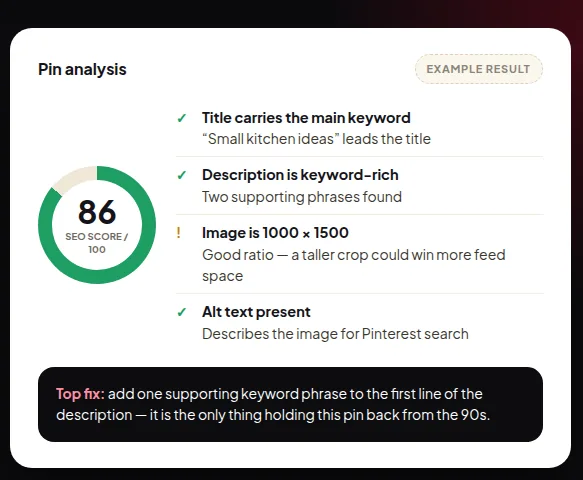
Every pin drafted in PinInspect carries a number from 0 to 100, and most tools would leave it at that — a score you are supposed to trust because a computer said so. This one shows its work. The Pinterest SEO score is seven specific checks with fixed weights, and next to every score sits the list of exactly which checks failed and what to change. This guide opens the box: all seven factors, what each one measures, why it is weighted the way it is, and how to take a weak pin to a strong one in about five minutes.
What the Score Is — and Is Not
The score measures how completely a pin is built, not how well it will perform. It checks the elements Pinterest's search can actually read — title, description, alt text, board, keywords — against the ranges and patterns that give a pin its best chance of being classified, matched to a search, and clicked. It is a checklist with arithmetic, applied identically to every pin.
What it is not: a ranking guarantee, a traffic prediction, or a judgment of your image's beauty. A 100-point pin can still lose to better competition on a hard keyword; a 60-point pin on an easy keyword can do fine. What the score removes is the unforced errors — the missing alt text, the three-word title, the pin with no board — that quietly cap pins before competition even enters the picture. Think of it as the pre-flight check, not the weather forecast. It pairs with the manual checks in our pin audit checklist; the score automates the measurable half of that list.
The 7 Factors, One by One
Here is the complete scoring table — the same one the product uses, weights included. Nothing else is in the score: no hidden signals, no account-age bonus, no randomness.
| # | Factor | Points | What earns full marks |
|---|---|---|---|
| 1 | Title length | 20 | Title between 40 and 100 characters — long enough to carry a keyword and a promise, short enough to read at a glance. |
| 2 | Keyword placement | 15 | Your main keyword appears in the first 40 characters of the title, where Pinterest's matching and the viewer's eye both look first. |
| 3 | Description depth | 20 | Description between 200 and 500 characters — room for the keyword in natural sentences plus genuine detail. |
| 4 | Call to action | 10 | The description asks for the next step: save, tap, read, get, try, see, discover, or learn. |
| 5 | Alt text | 15 | Alt text between 40 and 200 characters that actually describes the image. |
| 6 | Board context | 10 | A board is chosen — the first save's topical context is how Pinterest classifies the pin. |
| 7 | Keyword coverage | 10 | At least 3 keywords/topics attached to the pin, so it can match more than one phrasing of the same search. |
Notice the shape of the weights. The title carries 35 points (factors 1–2) because the title is the strongest text signal a pin has — it is what search matches and what the viewer reads while deciding. The description carries 30 (factors 3–4): depth gives the algorithm more honest material to classify, and the call to action is the difference between a pin that gets admired and a pin that gets clicked or saved. The remaining 35 points are the professionalism layer — alt text, board, coverage — cheap to earn, and the three things rushed pins most often lack. Our pin title guide and description formula go deeper on the two heavy factors.
Fix factors in weight order when time is short. A missing board (10 points) matters, but a title with the keyword buried at character 60 (15 points) plus a 90-character description (20 points) is 35 points of fixable drag — those two edits beat everything else you could do in the same five minutes.
How to Fix a Low Score in Five Minutes
The fix list next to the score is written as instructions, not diagnostics. A typical one reads: "Description is 120 chars — aim for 200–500," or "Put the main keyword in the first 40 characters of the title." Work it top to bottom:
- Title first: move the keyword to the front, then add a specific promise until you cross 40 characters — "Small Kitchen Storage Ideas" becomes "Small Kitchen Storage Ideas: 9 Fixes for Cabinets That Overflow."
- Description second: write two or three real sentences — what the page contains, who it helps — and close with the ask: "Save this pin for your next reset, and tap through for the full walkthrough." That one edit usually earns factors 3 and 4 together.
- Alt text third: describe the image as if to someone who cannot see it, keyword included naturally — forty characters is roughly one honest sentence.
- Then the checkboxes: pick the most specific board the pin belongs on, and attach at least three keyword variations — the main phrase, a longer version, and an adjacent phrasing a different searcher would type.
In the Designer, most drafts start high because the angles are generated against these checks — the score's daily job is catching the edits you make afterward, when a rewritten title quietly drops the keyword or a trimmed description loses its call to action.
Worked Example: 10 to 100
A real pattern, from the shape of pins we see every day. A recipe pin drafts with the title "Best Soup Ever" (14 characters, no keyword up front: factors 1–2 missed, 0 of 35), a description of "My favorite soup recipe, perfect for cold days!" (under 200 characters, no call to action: 0 of 30), no alt text (0 of 15), a board chosen (10), and one keyword attached (0 of 10). Total: 10 out of 100 — and every missing point is a sentence someone didn't write.
The fixes take one pass. Title: "Creamy Tomato Soup Recipe: The 30-Minute Weeknight Version" — keyword first, 59 characters (35/35). Description rewritten to three sentences with the method, the audience, and "Save this pin…" at the end (30/30). Alt text: "A bowl of creamy tomato soup with grilled cheese croutons on a wooden table" (15/15). Keywords expanded to three: the main phrase, "easy tomato soup," "weeknight soup recipes" (10/10). Board unchanged (10/10). 100 — same soup, same image, same page. The only thing that changed is that the pin now tells Pinterest, and the viewer, what it actually is. That is the entire philosophy of the score: it prices the sentences, not the soup.
The Score as a Pre-Publish Habit
Treat 85 as your publish line. Below it, something structural is missing and the fix list will say what. Between 85 and 100 you are usually trading a few points for a deliberate choice — a shorter title you prefer, a description that reads better slightly under range — and that trade is yours to make with eyes open. The score's job is to make sure the trade is deliberate.
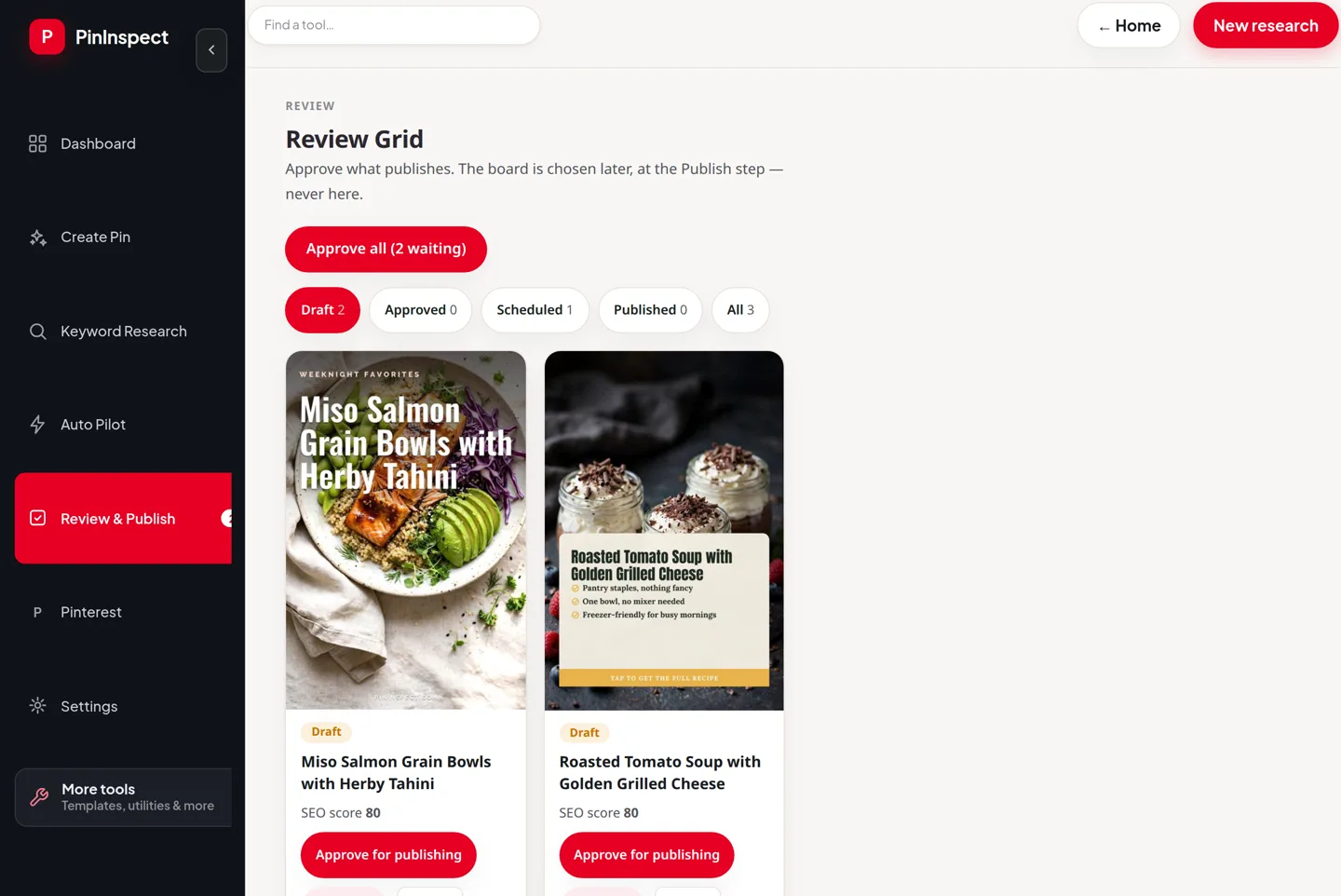
Run it on everything: pins from the Designer arrive scored, pins you optimize in the editor get re-scored, and the habit compounds — after a month of fix lists, you start drafting titles that pass on the first try. Scores pair naturally with scheduling: nothing enters the queue under your line, so the automation only ever publishes pins you have already approved twice — once by the checklist, once by you.
Do not chase 100 by stuffing. A title padded with repeated keywords to hit a length range reads worse and classifies no better — the ranges exist because natural, complete copy lands inside them. Write the pin properly and the score follows; write to the score and neither works.
Frequently Asked Questions
See Your Pin's Score Before You Publish
Draft any pin in the Designer and read its full score and fix list — free, on every plan, before you spend a single credit.