







Pinterest SEO Tools: The Complete Roundup by Workflow
Pinterest SEO tools organized by job: keyword research, pin creation, analytics, scheduling and trends — Pinterest's own tools and the third-party staples, honestly compared.
Every Pinterest SEO tool does one of five jobs — keyword research, pin creation, analytics and audits, scheduling, or trends. This roundup sorts the real options by job, including Pinterest's own free tools, so you can build a stack that fits how you actually work.
Search for "Pinterest SEO tools" and you will find flat lists of apps, most of them interchangeable. That is the wrong way to look at it. Pinterest growth is a workflow — find what people search, create pins that match, check what is working, publish consistently, and stay ahead of trends — and each step has its own tools. This roundup is organized by those five jobs, so you can see which tool genuinely fits each one.
Disclosure, up front: PinInspect is our product. It appears in this roundup first among the all-in-one options because it is the free one — every tool and template in it is free for signed-up users, funded by ads. Every other tool below is described from its own site's facts, with pricing checked in November 2026, and each entry names its watch-outs — including ours.
The All-in-One Option: PinInspect (Our Product)
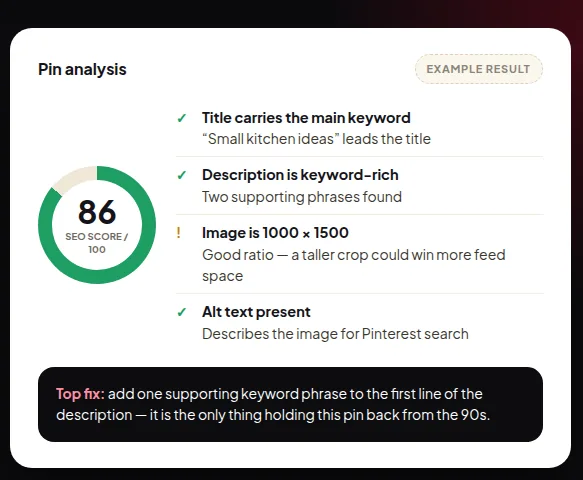
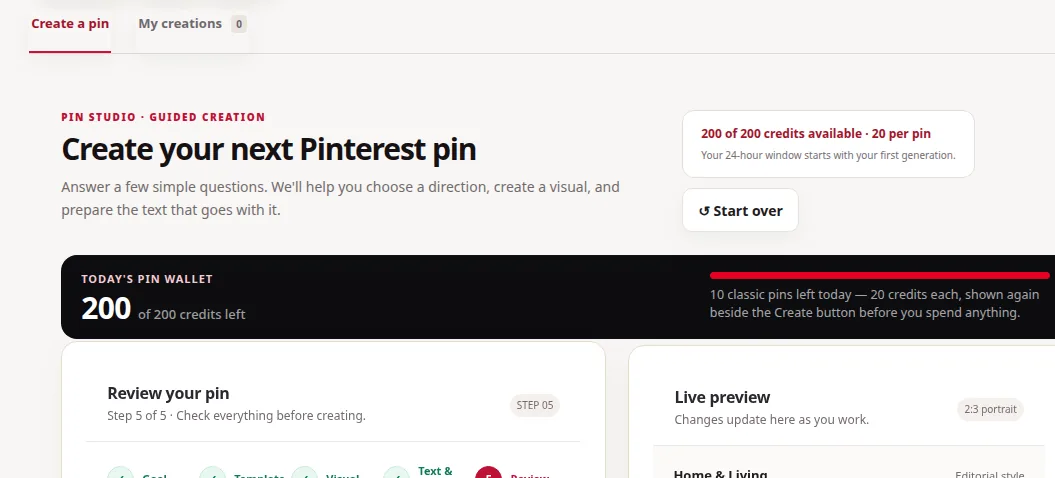
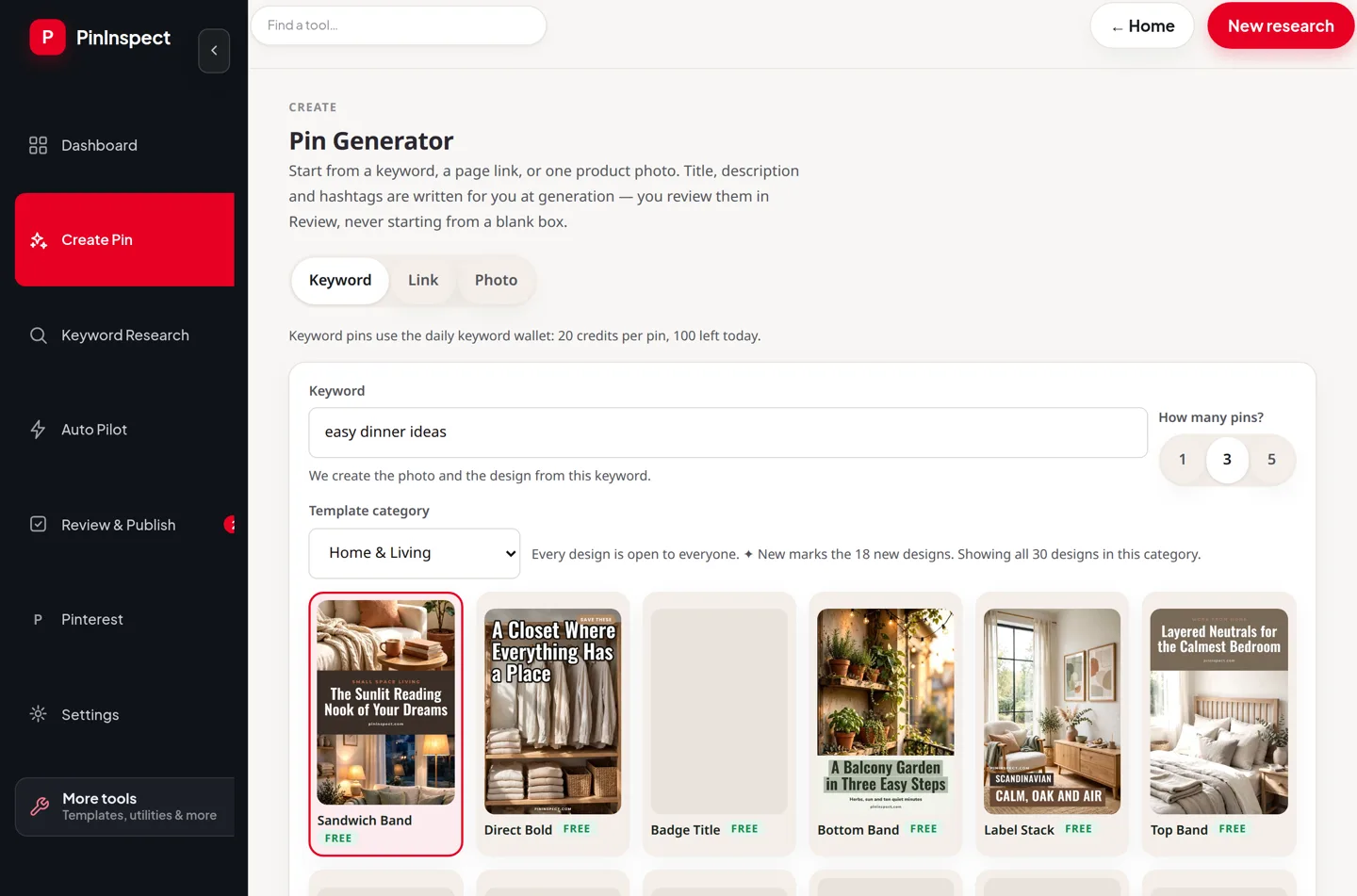
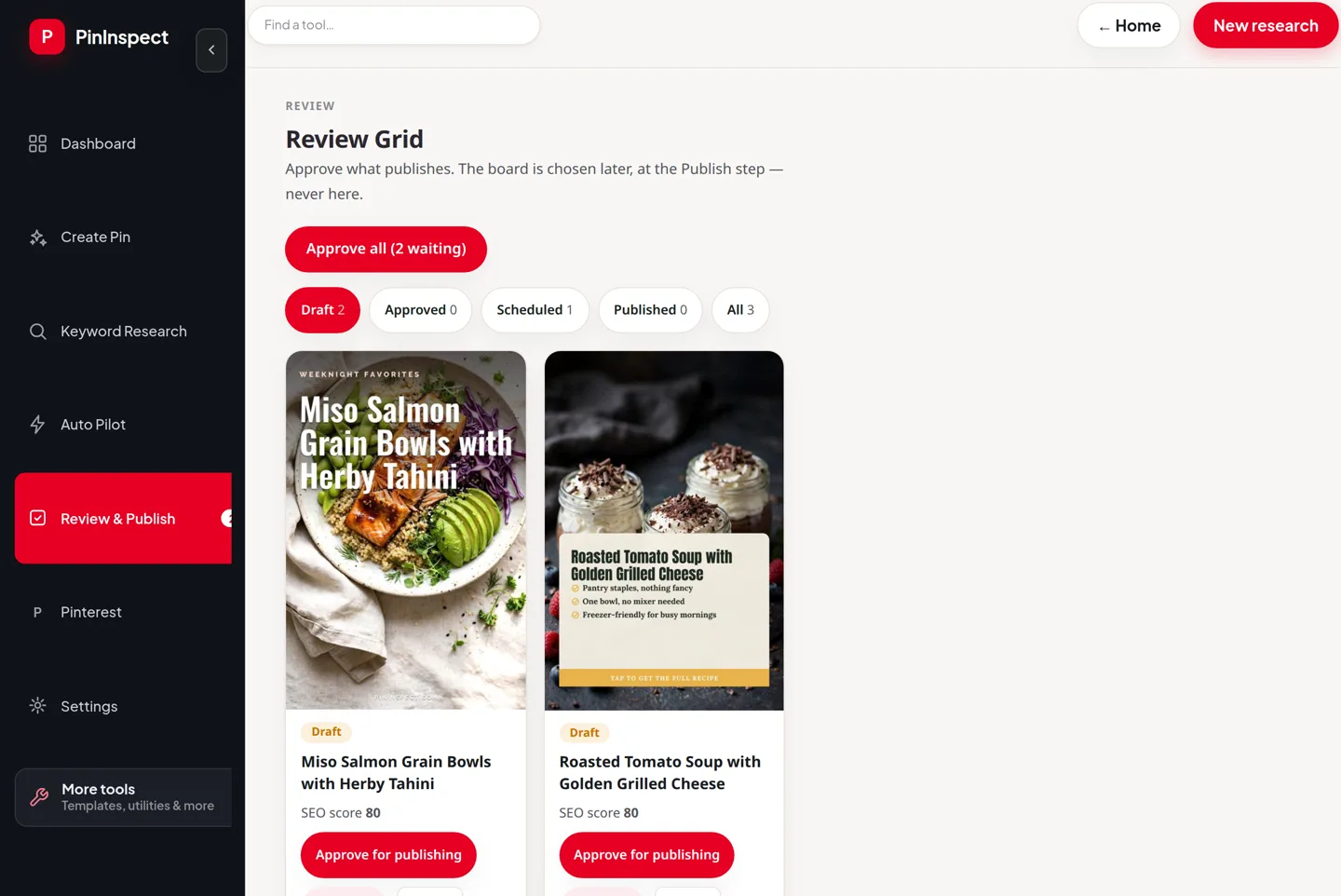
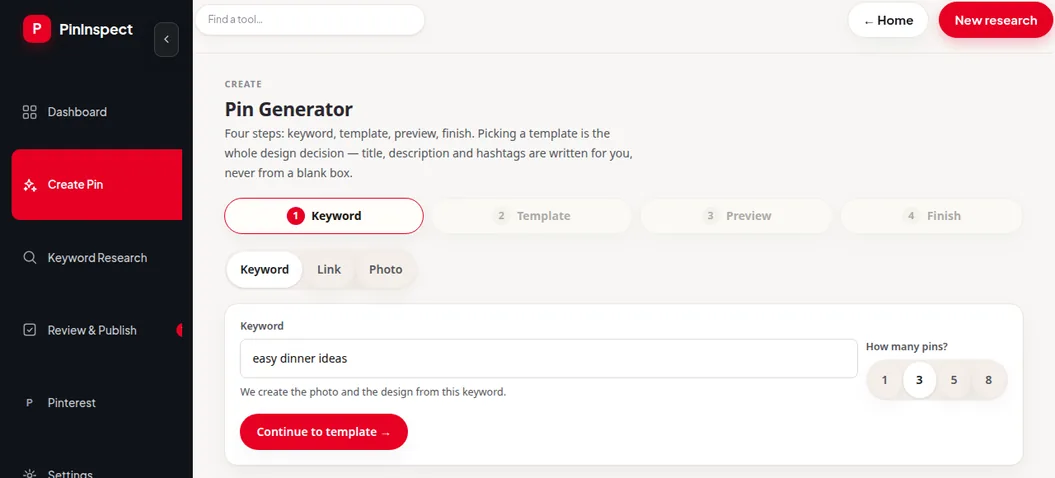
Most stacks in this roundup are assembled job by job. The alternative is one workspace that covers all five: PinInspect combines keyword research, a pin generator with 606 templates, a pin analyzer and competitor checker for audits, scheduling and publishing through Pinterest's official API (every pin approved by you before it goes out), and a trends tool. The workflow it is built around is the one this page is organized by: keyword → design → copy → publish → measure, with a 0–100 Pin SEO score checking each pin before it ships.
- Pricing: free. Every tool and all 606 templates are free for signed-up users; the site is funded by ads. The one limit is a fair-use cap of 5 designed pins a day.
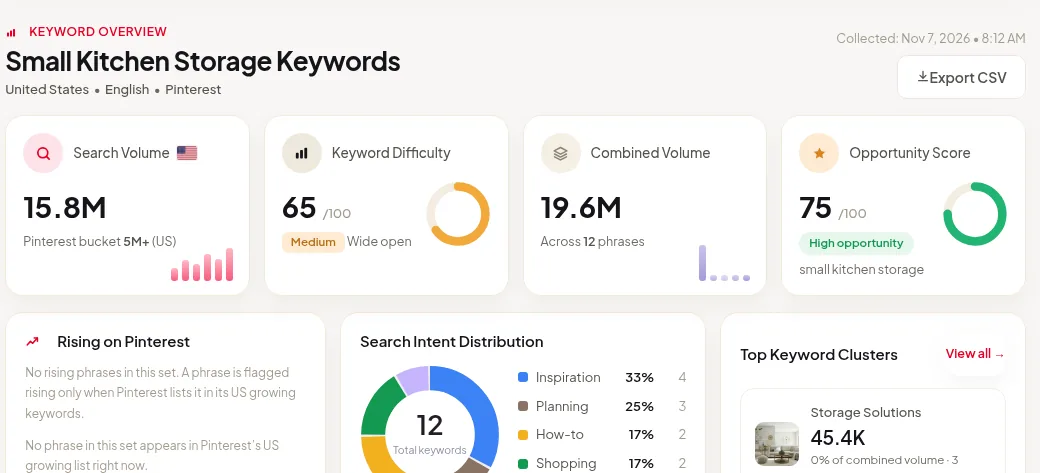
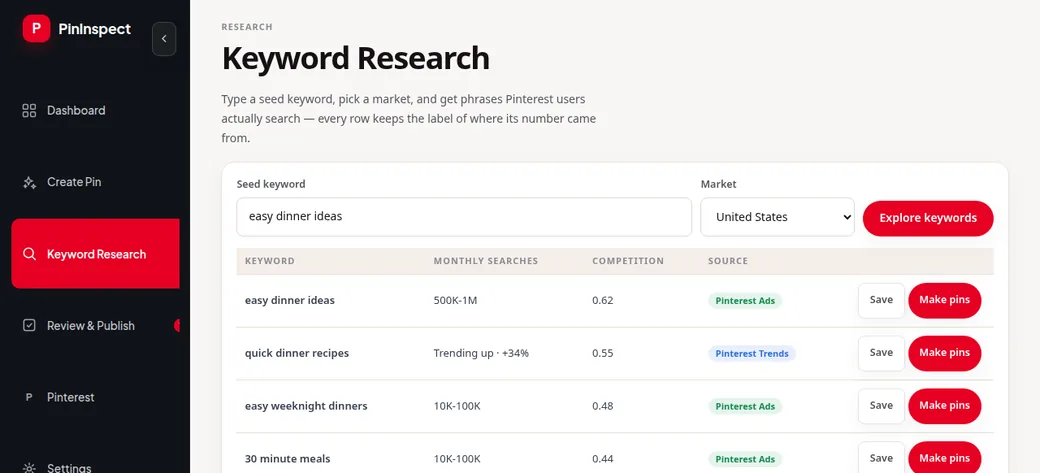
- Keyword data, honestly labelled: PinInspect's keyword figures are hybrid — Pinterest Ads volume ranges where available, otherwise clearly labelled modelled estimates. Why that labelling matters is explained in the data note after the keyword section.
- Watch-out: PinInspect is newer and smaller than the incumbents below, and one workspace is not the best-of-breed pick for every single job. If one job is your whole workflow — rank tracking, say — a specialist may fit better.
The suite lives at the Pinterest SEO tool page; below, PinInspect is referenced per job by link rather than re-pitched in every section.
1. Keyword Research Tools
Keyword research is where Pinterest SEO starts — and where the data claims need the most care. Read the per-tool entries with one fact in mind: Pinterest does not publish exact search volumes for any keyword, so every number below is a range, a bucket or an estimate, and the honest tools say so.
Pinterest search and guided search (native)
Type a seed term into Pinterest search and its autocomplete and guided-search chips show the exact phrasing people use. This is the ground truth for wording — free, always current, and the starting point every other tool builds on.
- Pricing: free.
- Watch-out: no sense of scale, competition or intent grouping. A starting point, not a research system.
Pinterest Ads keyword tool (native)
Inside Ads Manager's targeting, Pinterest surfaces keyword and interest data with volume ranges — the only first-party scale signal that exists. You do not need to run or pay for ads to look at it; an Ads account is enough.
- Pricing: free with a Pinterest Ads account.
- Watch-out: built for advertisers, and the figures are ranges, not exact counts. Treat any tool quoting you an "exact" Pinterest volume with suspicion — see the data note below.
Pin Inspector (desktop software by AppBreed)
Pin Inspector (desktop software by AppBreed) is a different product from PinInspect (this site). The names differ by two letters; the products share nothing, and we are not affiliated with AppBreed. Pin Inspector is Windows and Mac desktop software with 8 built-in tools: autosuggest keyword expansion, annotation and interest keywords, and pin, board and account data pulled into tables for research. If the similar name brought you here, our Pin Inspector alternative page compares the two products honestly, feature by feature.
- Its data claim, labelled: AppBreed says the tool shows real Pinterest monthly search volume. Pinterest publishes no such figures (see the data note below), so read that as the vendor's claim about its own data — not a Pinterest-published number.
- Pricing: $67 one-time ($47 with the PIN20 code shown on its sales page); version updates included.
- Free access: no free trial; reviewers report a 30-day refund policy.
- Watch-out: desktop-only, and research only — no pin creation, no scheduling, no rank tracking.
PinClicks
A web-based Pinterest research tool — keyword explorer, top pins and account explorer — whose differentiator is rank tracking: it watches where your pins rank for tracked keywords over time, which none of the other research tools here do.
- Pricing (checked on pinclicks.com, November 2026): Pin Pro $29/month ($249/year) with 25 tracked keywords; Pin Plus $49/month ($399/year) with 5,000 tracked keywords and data exports.
- Free access: a free trial; no free plan.
- Watch-out: research only — no design, no scheduling.
Keywords Everywhere
A browser extension that overlays volume, CPC and competition data onto Pinterest and more than 20 other sites as you browse, so keyword data appears on the pages you are already looking at.
- Pricing: credit packs billed annually — Bronze is $84/year for 100,000 credits; credits expire after 12 months.
- Watch-out: a one-page-at-a-time workflow, and a general SEO tool — Pinterest is one surface among many, not the focus.
Two shorter mentions belong in this job. Tailwind also sells a Pinterest SEO product with keyword research and tracking (from $11.99/month billed annually, credit-metered) — its main entry is under Scheduling below. And PinInspect's keyword tool is the all-in-one's research surface: ideas grouped into clusters with intent labels, and every figure labelled by source.
Comparing keyword tools head-to-head? That comparison is big enough to have its own page: the best Pinterest keyword research tools roundup, including a section for print-on-demand sellers.
Before You Trust Any Keyword Number: A Note on Pinterest Data
Here is the fact most roundups skip: Pinterest does not publish exact search counts for any keyword. Pinterest Trends shows relative interest on an indexed 0–100 scale. The Ads keyword tool shows volume ranges. That is the complete list of first-party scale signals.
So every "search volume" figure from every third-party tool — including ours — is a range, a bucket or a modelled estimate built on top of those signals. Honest tools label which one you are looking at; treat an unlabelled exact number as marketing, not data. In this roundup, each tool's figures are described the way the tool itself presents them, and PinInspect's own results carry a source label (Pinterest Ads bucket or modelled estimate) on every figure.
The practical rule: use volumes for relative comparison — this phrase is clearly bigger than that one — never as census data, and always cross-check the phrasing itself in Pinterest search, which is the one place the actual words people type are visible for free.
2. Pin Creation & Design Tools
Canva
The design staple: a template editor with Pinterest-sized formats, used by many creators to produce pin graphics quickly. Pinterest also names Canva as a content partner. What Canva does not do is the SEO — the title, description and keyword fit are still yours to write.
- Pricing: a free plan, with paid Pro plans for the full template and asset library.
- Watch-out: no keyword data and no Pinterest performance feedback; design only.
Adobe Express
Canva's direct analogue from Adobe — templates, quick resizing and brand kits, with a free tier and a premium plan. If your stack is already Adobe, it is the natural pick; for Pinterest SEO purposes the two are interchangeable, and neither handles keywords.
Pinterest's own create flow (native)
Upload an image, write the title and description, publish. Free, and perfectly workable at low volume — most creators outgrow it when every pin needs the same keyword and design steps repeated by hand.
In the all-in-one, the pin generator starts from the other end: begin with a keyword, a page URL or a product photo, and the pin image, title and description are produced together and checked against the Pin SEO score — with templates organized by category in the pin design tool.
3. Analytics & Audit Tools
Pinterest Analytics (native)
Free with a business account, and the source of truth for your own account: impressions, saves, pin clicks and outbound clicks, plus your top pins and boards. Every audit starts with its numbers. Its hard limit is the mirror image of its strength — it can only see your account, never a competitor's.
Auditing is not tracking — pick the right one
Most roundups fold these into one "analytics" bucket, but they answer different questions. An audit is a one-off check of a pin or profile as it stands today: are the title, description, hashtags and boards doing their job? Tracking watches positions change over time: is this pin climbing or slipping for its keyword? Audits are PinInspect's job (below); tracking is PinClicks' differentiator, in the keyword section above. Buy the one that matches the question you actually ask each week.
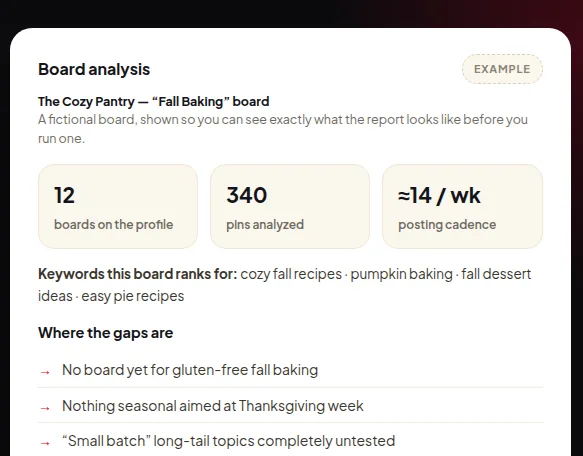
PinInspect's pin analyzer audits what Analytics cannot: any public pin or profile — title, description, hashtag, CTA and visual SEO checks, plus profile-level keyword gaps — including accounts that are not yours. That last part is its own job: competitor analysis. The competitor checker pulls a public profile's stats, boards and top pins, and our competitor analysis guide walks through the full manual audit with a free template.
Audience Insights (native, free in business accounts) deserves one line: it shows the interests and categories your audience engages with, drawn from their searches and saves — useful input for board and topic planning.
Google Analytics completes the picture on the other side of the click: it measures what Pinterest visitors do on your site, which is how you learn which pins earn revenue, not just saves.
4. Scheduling & Management Tools
Pinterest's built-in scheduler (native)
Schedule pins ahead from the create flow with a business account — free, and enough for a single account publishing steadily. Its limits, per Pinterest's help centre: up to 10 pins waiting at once, each up to 30 days ahead. Plan a month of daily pins and you will hit the queue cap first.
Tailwind
The Pinterest-first incumbent, and an official Pinterest Marketing Partner: queues, interval scheduling and its SmartSchedule timing are its home ground. Since September 2026 it is sold as separate per-account products — Pin Scheduling & Creation, Pinterest SEO, and Pinterest Engagement. On annual billing (checked on tailwindapp.com, November 2026) they run $17.99, $11.99 and $11.99 per month respectively, or all three bundled at $29.98/month; usage is credit-metered, with extra credit packs (100 credits for $10) when you run out.
- Free access: free to start, but the free start is a one-time trial allowance — not an ongoing free plan.
- Watch-out: per-account pricing adds up across multiple Pinterest accounts, and the credit meter means heavy months cost more.
Later and Buffer
The multi-network alternatives: one calendar for several platforms, Pinterest included, each with free tiers and paid plans. Handy for teams whose Pinterest is one channel among several — and correspondingly less Pinterest-specific in depth.
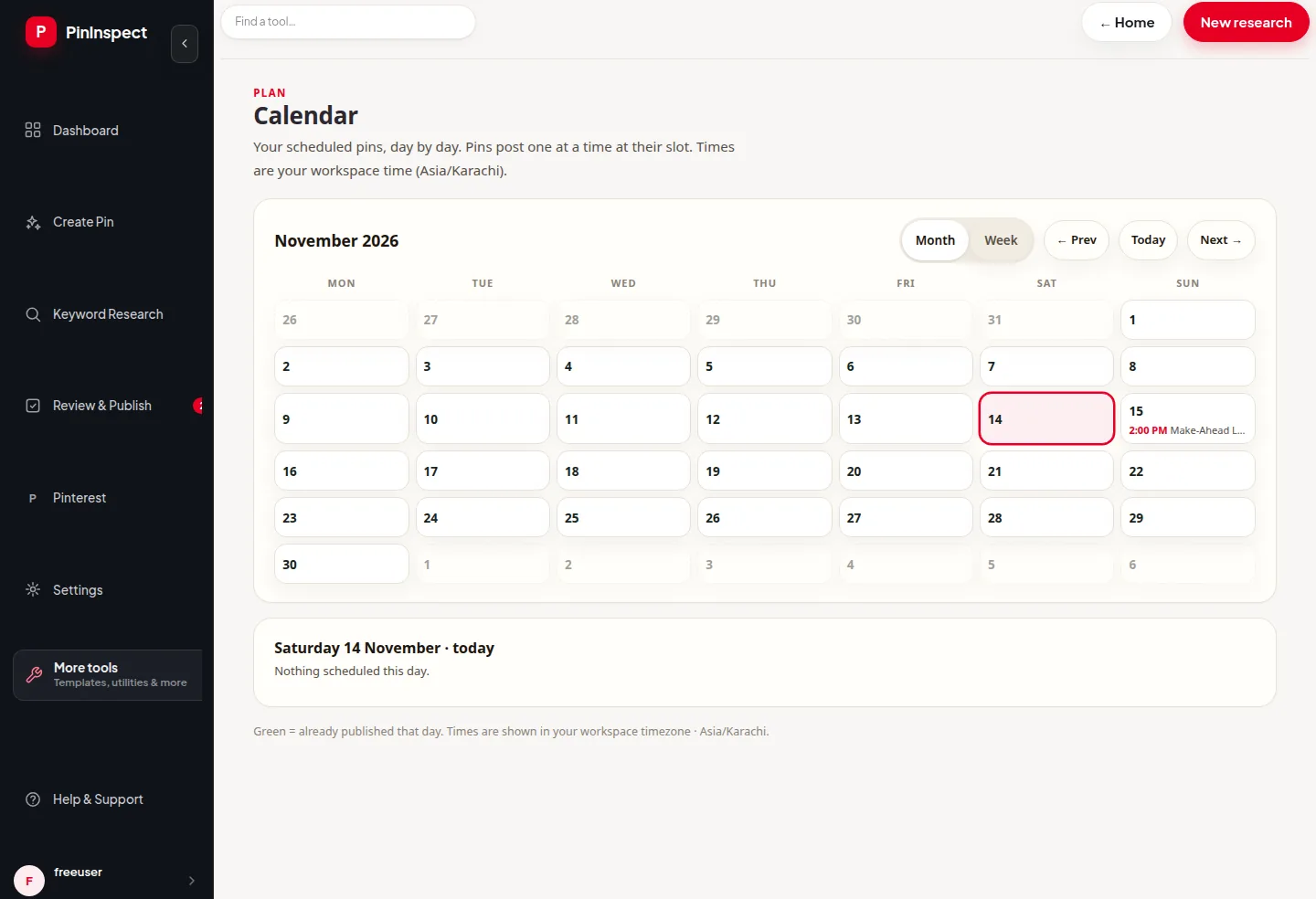
Inside PinInspect, pins move from review into the pin scheduler — research, creation and scheduling in one workspace instead of three tabs, published through the official API with your approval on each pin.
5. Trend Tools
Pinterest Trends (native)
The official, free source (trends.pinterest.com): search interest over time for any term, by region. Remember what its graph is — an indexed 0–100 scale of relative interest, not absolute search counts.
Pinterest Predicts (native)
Pinterest's annual forecast is the longer view: the themes Pinterest expects to grow next year, and the planning-horizon tool for seasonal content, which on Pinterest starts weeks or months before the peak.
PinInspect's trends tool turns those signals into actions — rising topics become keyword and content suggestions — and our monthly editions do the reading for you, starting with Pinterest Trends 2026.
The No-Tools Route (An Honest Option)
Everything in this roundup is optional. Pinterest search suggestions for phrasing, Trends for timing, Analytics for measurement and the built-in scheduler for a small queue genuinely cover a small account end to end — plenty of creators run on exactly that, and it costs nothing.
A tool — a free all-in-one or a paid specialist — earns its place at the step that becomes repetitive: the tenth keyword session done by hand, the fiftieth pin designed one at a time, the ranking you need to watch every week. This roundup exists to help you spot that step and price it honestly, not to sell you a stack on day one.
How to Choose Your Stack
| Job | Free option | Purpose-built options | When to pay |
|---|---|---|---|
| Keyword research | Pinterest search + the Ads keyword tool | PinInspect (all-in-one) · Pin Inspector · PinClicks · Keywords Everywhere | When phrasing alone stops being enough — you need scale signals, grouping, or rank tracking |
| Pin creation & design | Pinterest's create flow | Canva · Adobe Express · PinInspect generator | When every pin repeats the same design and SEO steps by hand |
| Analytics & audits | Pinterest Analytics | PinInspect analyzer + competitor checker · PinClicks (tracking) | When you need competitor audits, or rankings watched over time |
| Scheduling | Pinterest's built-in scheduler (10 pins / 30 days) | Tailwind · Later · Buffer · PinInspect scheduler | When 10 queued pins, or a single account, stops being enough |
| Trends | Pinterest Trends + Predicts | PinInspect trends tool | When you want trend signals turned into keyword and content actions |
Start free: Pinterest's own tools genuinely cover the basics, and every paid tool in this roundup earns its place only when a step becomes repetitive. The usual breaking point is keyword research and pin production — the two steps that scale linearly by hand. That is exactly the gap an all-in-one workspace exists to close, and the reason the free one sits at the top of this page.
One workspace for the whole workflow
Keyword research, pin creation, audits, competitor checks, scheduling and trends — see how the pieces fit together in the PinInspect workspace.
Frequently Asked Questions
Build Your Stack by Job, Not by Hype
Pick the free tool that covers each job today, and upgrade the step that starts eating your week. When you want the five jobs in one place, that place is the PinInspect workspace.